
Find Citations
in Overleaf
Highlight any text in Overleaf and instantly find relevant arXiv papers. The Underleaf Chrome extension brings AI citation discovery directly into your editor — no tab switching required.
No credit card required
Trusted by 50,000+ academics worldwide




Select any text in your Overleaf document and instantly find matching academic papers.
Install it here →
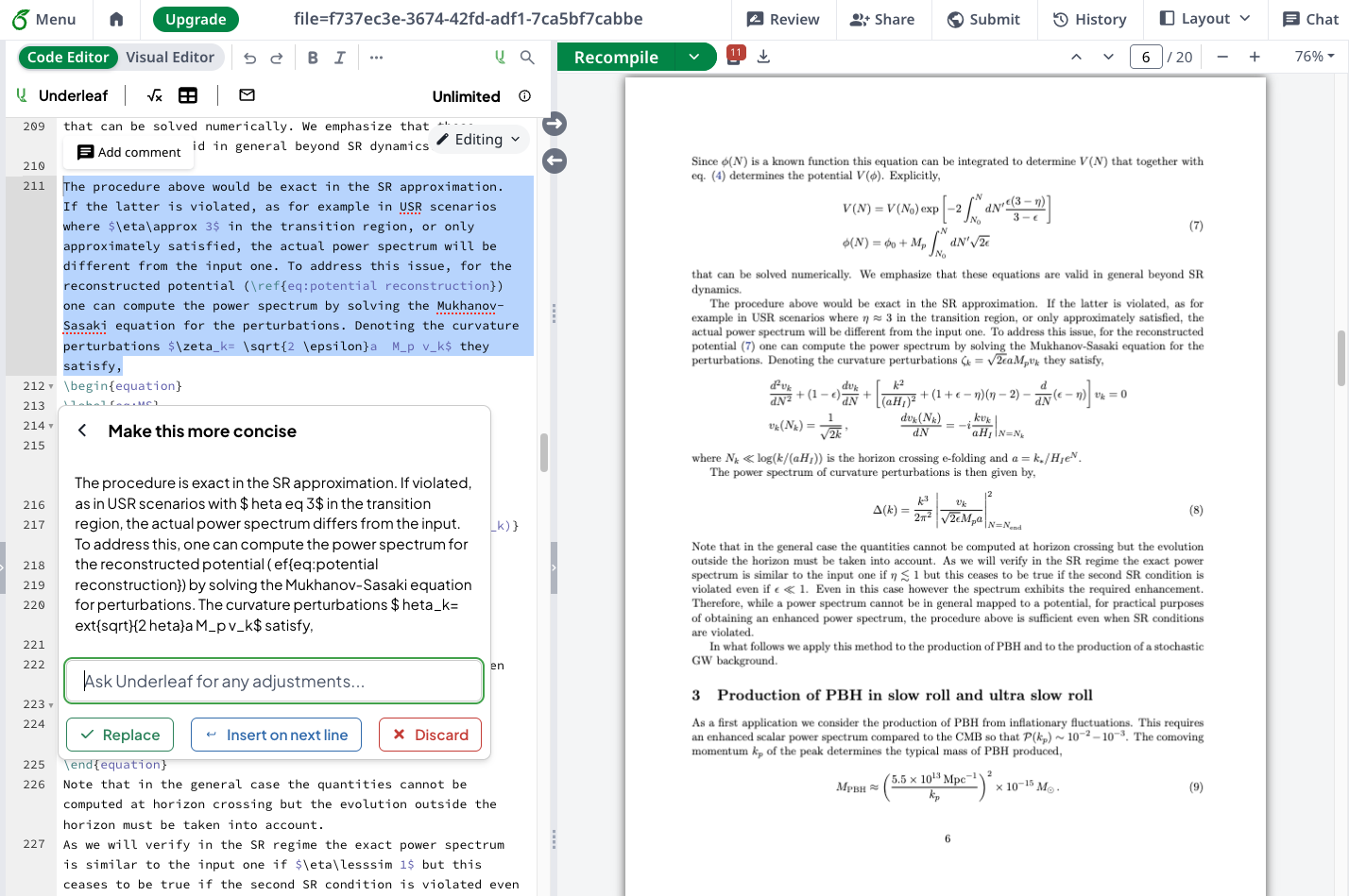
Find Citations Without Leaving Overleaf
Stop switching between Overleaf and Google Scholar. The Underleaf extension lets you find and cite papers directly from your editor.
- Install the free Underleaf Chrome extension from the Chrome Web Store.
- Open any document in Overleaf and highlight a sentence or paragraph.
- Click “Find Citations” in the popup to search 3M+ arXiv papers.
- Copy BibTeX entries and paste them into your .bib file — all without leaving Overleaf.
Simple, straightforward pricing
No credit card required to try. Cancel anytime.
Essentials
$4.99
USD
per month, $63.99 charged annually
- 200 credits/month
- AI citation finder in Overleaf
- BibTeX citation generator
- All Overleaf AI features
- Email support
Pro
$9.99
USD
per month, $119.99 charged annually
- 500 credits/month
- All AI tools unlocked
- PDF & image conversion
- Priority support
- Early access to new features
Team
For teams of 5+, research groups, and institutions.
- Most credits per member
- Centralized billing & admin dashboard
- Invoices for university reimbursement
- Self-service team management
- Dedicated support channel
Cite Papers Without Leaving Overleaf
Join thousands of researchers using Underleaf to find and insert citations directly in Overleaf.
50K+
Academic users
100+
Universities
140K+
Pages converted
10x
Faster workflow
No credit card required