
Convert PDF to Typst
with AI + OCR
Turn any PDF — a published paper, lecture notes, a scanned document — into clean, editable Typst source. Equations come out as native Typst math, structure is preserved page by page, and the result compiles live in your browser.
No credit card required
Trusted by 50,000+ academics worldwide




Upload a paper, report, or scanned notes and get the full document back as editable Typst source.
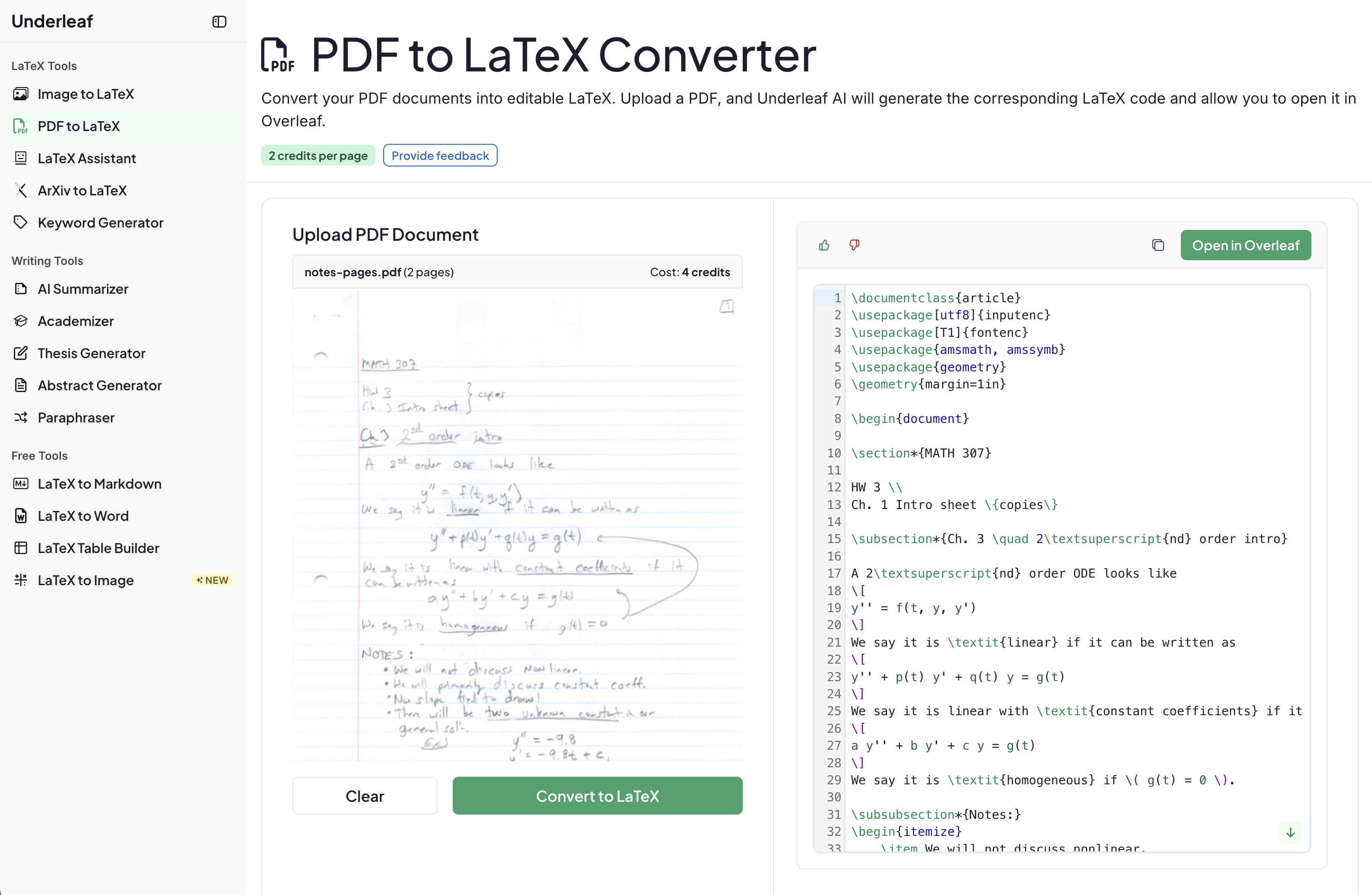
From PDF to Editable Typst Source
OCR reads every page — typed or handwritten — and AI reconstructs the document structure in Typst, batch by batch, streaming results as it goes.
- Upload a PDF — the page count and credit cost are shown before you convert.
- OCR extracts text and embedded figures from each page.
- AI transcribes the document into Typst — headings, math, tables, footnotes, and figures.
- Verify the live compiled preview, then download the .typ source.
// Page 3 of your paper becomes: == Methodology We minimize the loss over parameters $theta$: $ cal(L)(theta) = 1/N sum_(i=1)^N (y_i - f(x_i; theta))^2 $ #figure( image("img-0.jpeg", width: 80%), caption: [Model architecture], )
Frequently Asked Questions
How does the PDF to Typst converter work?
Upload a PDF and OCR extracts the text and embedded figures from every page — including handwritten content. An AI model then reconstructs the document as Typst markup, page batch by page batch, streaming the result as it generates. Headings, math, tables, footnotes, and figure placements are all preserved.
Does it work with scanned or handwritten PDFs?
Yes. The OCR step handles both typed and handwritten documents, and the converter uses reference images of each page so the AI can match the original layout, not just the raw text.
How are equations converted?
Equations are transcribed into native Typst math syntax — for example $ sum_(i=1)^n i = (n(n+1))/2 $ — not into LaTeX. They're immediately editable in any Typst editor and render in the live preview.
How many pages can I convert?
Page limits depend on your plan: Free supports up to 5 pages per PDF, Essentials up to 10, and Pro, Team, or Unlimited up to 20. Conversion costs 2 credits per page.
Why convert a PDF to Typst instead of LaTeX?
Typst compiles in milliseconds, has dramatically cleaner syntax, and is increasingly popular for theses, assignments, and preprints. If a journal requires LaTeX, Underleaf also offers PDF to LaTeX and a free Typst to LaTeX converter, so you're never locked in.
Simple, straightforward pricing
No credit card required to try. Cancel anytime.
Save 50% with annual billing
Essentials
$6
USD
per month, $72 charged annually
- 200 credits/month
- PDF to Typst up to 10 pages
- OCR for scans & handwriting
- Typst editors included
- Email support
Pro
$12
USD
per month, $144 charged annually
- 500 credits/month
- PDF to Typst up to 20 pages
- All AI tools unlocked
- Priority support
- Early access to new features
Team
For teams of 5+, research groups, and institutions.
- Most credits per member
- Centralized billing & admin dashboard
- Invoices for university reimbursement
- Self-service team management
- Dedicated support channel
Bring Your PDFs into Typst
Join thousands of researchers and students using Underleaf to write, convert, and typeset academic documents.
50K+
Academic users
200+
Universities
240K+
Pages converted
10x
Faster workflow
No credit card required