
For Professors
Course materials in LaTeX, without losing your evenings
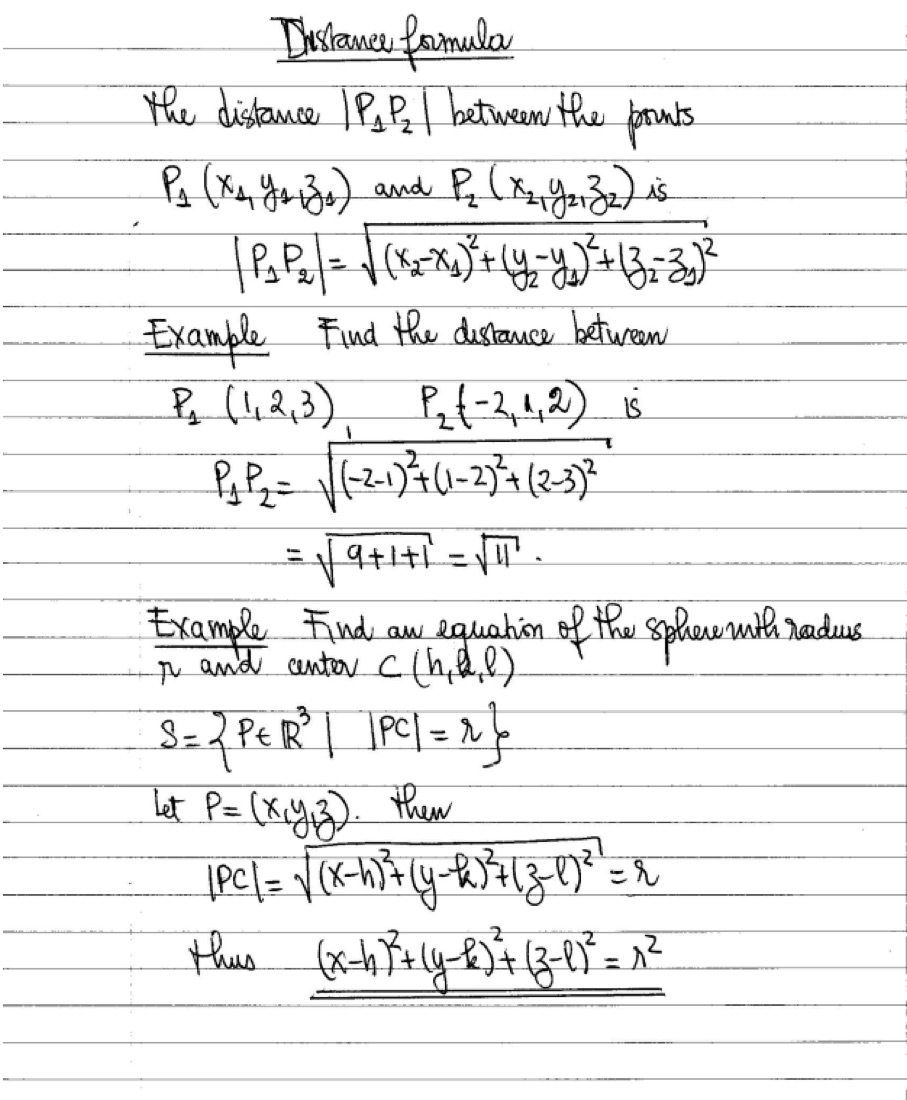
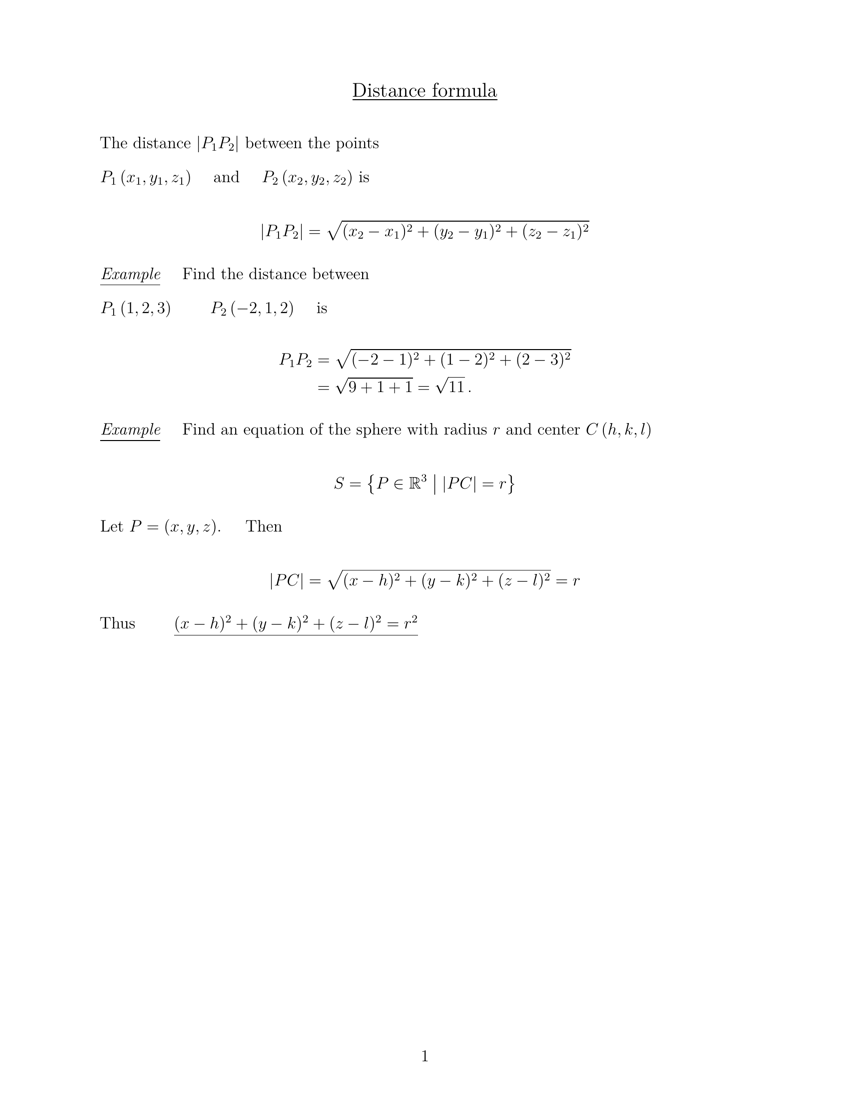
Lecture notes, exams and syllabi all need to be typeset, and none of it is the work you were hired to do. Underleaf converts what you already have — board photos, handwritten pages, last year's PDFs — into clean LaTeX in seconds, not evenings.
Start freeNo credit card required — first conversion in under a minute
50K+
Academic users
240K+
Pages converted
98%+
Accuracy
10x
Faster workflow
Reuse what you already wrote
Last term's PDF, a scanned handout, a photo of the board — all of it becomes editable LaTeX source instead of something you retype.
Minutes, not evenings
A whiteboard photo becomes typeset LaTeX in under a minute — the difference between finishing before dinner and losing an evening to formatting.
Consistent across a course
Syllabus, notes and handouts share one visual language, so a course looks like a course rather than a folder of mismatched files.
How it works
01
Upload what you have
Photograph the whiteboard, scan a handwritten page, or drop in a PDF from a previous term. Handwriting and printed text both work.
02
Get compilable LaTeX
Equations, tables and document structure come back as source that compiles — not an image, and not plain text you have to re-mark-up.
03
Shape it for the course
Drop the output into a syllabus, handout or exam template, adjust what changed this year, and export a PDF.
Tools you'll use most
Lecture Notes to LaTeX
Whiteboard photos, handwritten pages and PDF slides, converted into typeset notes.
LaTeX Syllabus Generator
Schedule, outcomes, grading and policies, output as a .tex file.
TikZ Generator
Describe a diagram in plain language and get a clean TikZ figure for your slides or handouts.
PDF to LaTeX
Recover editable source from a PDF, with equations and structure preserved.
Image to LaTeX
Convert photographed equations, tables and diagrams into LaTeX code.
Academic CV Templates
Researcher, postdoc and faculty application formats, ready to fill in.
Trusted by 50,000+ academics worldwide




Common questions
Does it handle handwritten maths?
Yes. Handwritten equations, and photos of a whiteboard or a page of notes, are converted into LaTeX. Messy handwriting and dense notation are the cases the model is specifically trained on.
Can I get the source back from an old PDF?
Yes. PDF to LaTeX reconstructs compilable source from a finished PDF, including equations, tables and section structure, which is the usual way to revive material from a previous term when the original .tex is long gone.
Does it work for lecture slides?
Yes. Lecture Notes to LaTeX accepts whiteboard photos, handwritten pages and PDF slide decks, so an existing deck or a set of board photos both convert into typeset source you can keep editing.
Is there a plan for a whole department?
Yes. Teams covers a research group or teaching staff with shared credits, and Universities covers department or campus-wide access with seat management.
Get tonight's course prep back
Start on the free tier and convert a real lecture or handout before deciding anything — most professors have their first document typeset in under a minute.
No credit card required · Free plan includes monthly credits