
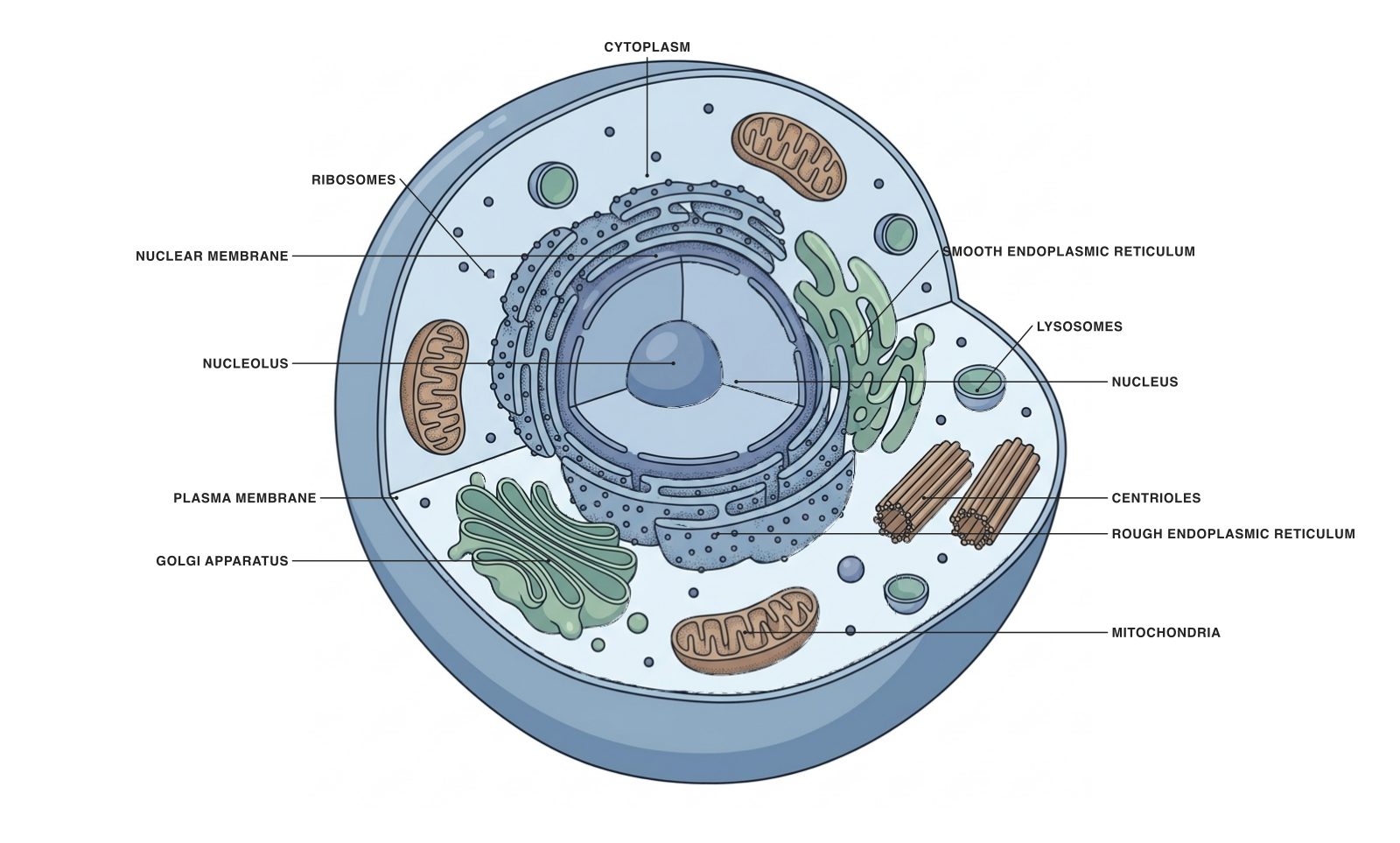
Example illustration for the includegraphics workflow below. Save the PNG alongside your document or in its figures folder.
The simplest route from Figure Maker to a LaTeX document is to download a PNG and include it with the graphicx package. Keep the image file in your project, choose a sensible width and add a caption that explains the model.
Use a figure environment when you want LaTeX to handle numbering and placement as a float. The image command loads the file; the figure environment organizes its role in the document.
Insert an image with a caption and reference
Place the downloaded image at figures/animal-cell.png, or adjust the filename in the example. The label follows the caption so that references use the figure number.
Using a fraction of the line width makes the image size relative to the surrounding layout. Inspect the actual output: the labels must remain readable after scaling.
\documentclass{article}
\usepackage{graphicx}
\begin{document}
See Figure~\ref{fig:animal-cell}.
\begin{figure}[htbp]
  \centering
  \includegraphics[width=0.9\linewidth]{figures/animal-cell.png}
  \caption{Generalized animal-cell model with selected organelles.
  Colors and proportions are schematic.}
  \label{fig:animal-cell}
\end{figure}
\end{document}
Choose a format your compiler supports
PNG is a convenient raster choice for a typical PDF-producing LaTeX workflow. JPEG is often appropriate for photographs, while PDF is useful for vector artwork exported by a compatible editor.
SVG usually requires a conversion or a specific package and build setup. Do not assume a journal’s submission system will reproduce that setup. Keep a supported export and check the instructions for the actual compiler or submission service.
Put related figures side by side
If you compare plant and animal cells, use a shared overall caption and a clear per-panel label. The subcaption package is a common approach, subject to the requirements of your document class.
Allow room between panels. Two images that each occupy half the available width can overflow once spacing is included. Also compare their final label sizes, not just their image widths.
When the figure appears somewhere unexpected
The options in [htbp] express placement preferences: here, top, bottom or a float page. LaTeX may move a figure to preserve layout. That movement is normal float behavior.
Before forcing placement, check whether the image is too tall, whether several floats are waiting, or whether the surrounding section has enough text. A smaller, clearer figure often helps both layout and readability.
Prepare the figure for a coauthor or submission
Use a descriptive filename and retain the editable source outside the final typeset PDF. Include the exported file in the project rather than linking to a private or temporary location.
Compile the complete document after a figure change. Check the caption, references, image quality and final page layout together. A correction that fits on the canvas may still change the figure’s height in the manuscript.
A prompt to start from
Frequently asked questions
References and further reading
Illustrations are explanatory models. Colors, proportions and selected structures are simplified to support the topic.
Keep exploring
Try it free
Start with a figure. Make it yours.
Open a starter, adapt the labels, and create an illustration for your next lecture or research discussion.
Starter examples are free to open. AI generation and edits use credits.